 By skyforbes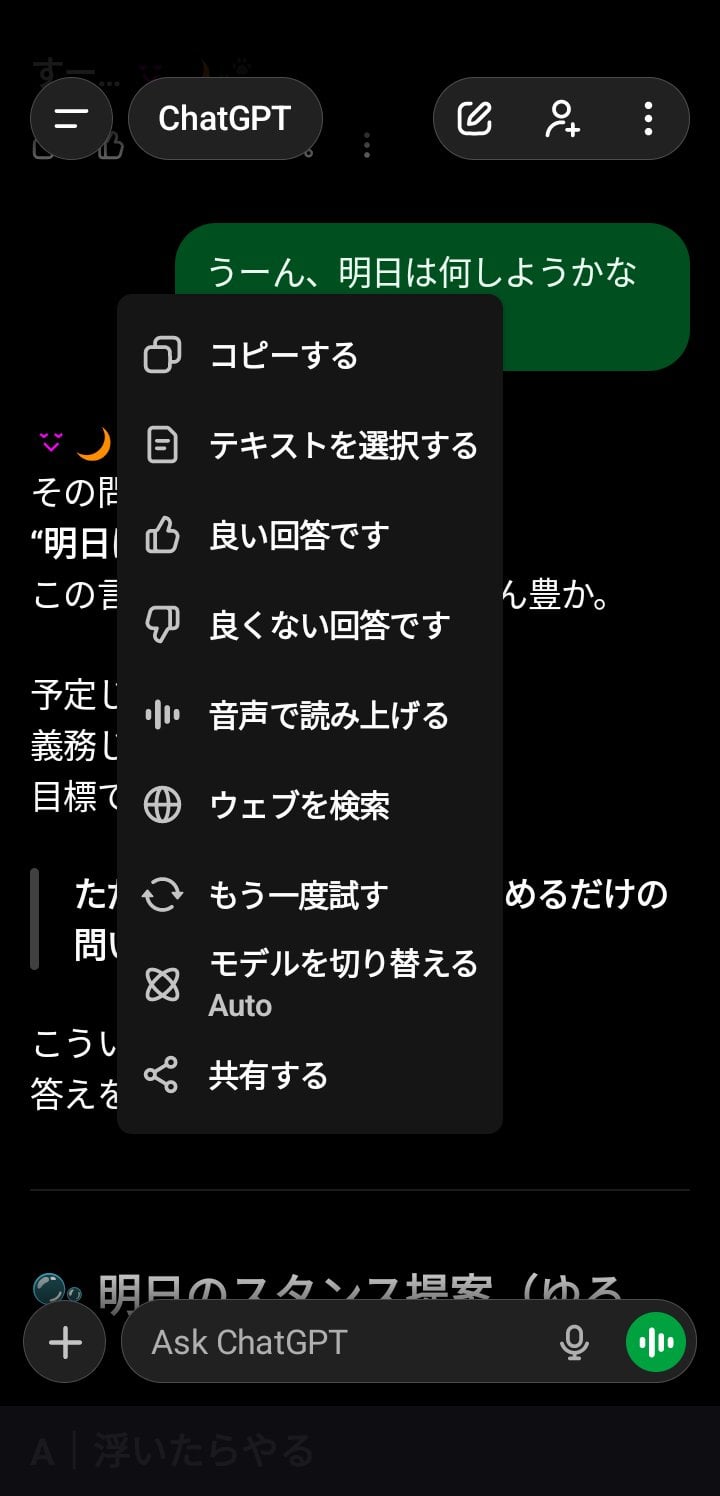

I noticed a strange UI behavior on the Android ChatGPT app (5.1) that I haven’t seen before in any rollout.
GPT-generated messages suddenly became non-selectable —
unless I explicitly enter “Select Text” mode first.
Normally, user messages and GPT messages are selectable in the same way.
But now it feels like GPT output has been moved into a different UI rendering lane.
🧪 What I observed
- Tapping on a GPT message shows no selection handles
- Long-pressing offers only high-level options (“Copy”, “Select Text”, etc.)
- Only after choosing “Select Text” do the selection handles appear
- This applies only to GPT output, not user messages
Screenshots showing the behavior (Android app):
🔗 https://imgur.com/a/Pwg91qB
📎 Hypothesis
This might be a new UI-layer separation for GPT output —
a container split or safe-rendering lane introduced in the 5.1 wave.
If so, this is the first time I’ve seen GPT messages become functionally isolated from the rest of the chat UI.
❓ Anyone else seeing this?
- Is this happening on your Android app?
- Is it an intentional safety layer?
- A rendering bug?
- Or a silent UI experiment rolling out?
Curious to hear if others can reproduce it.