 By skyforbes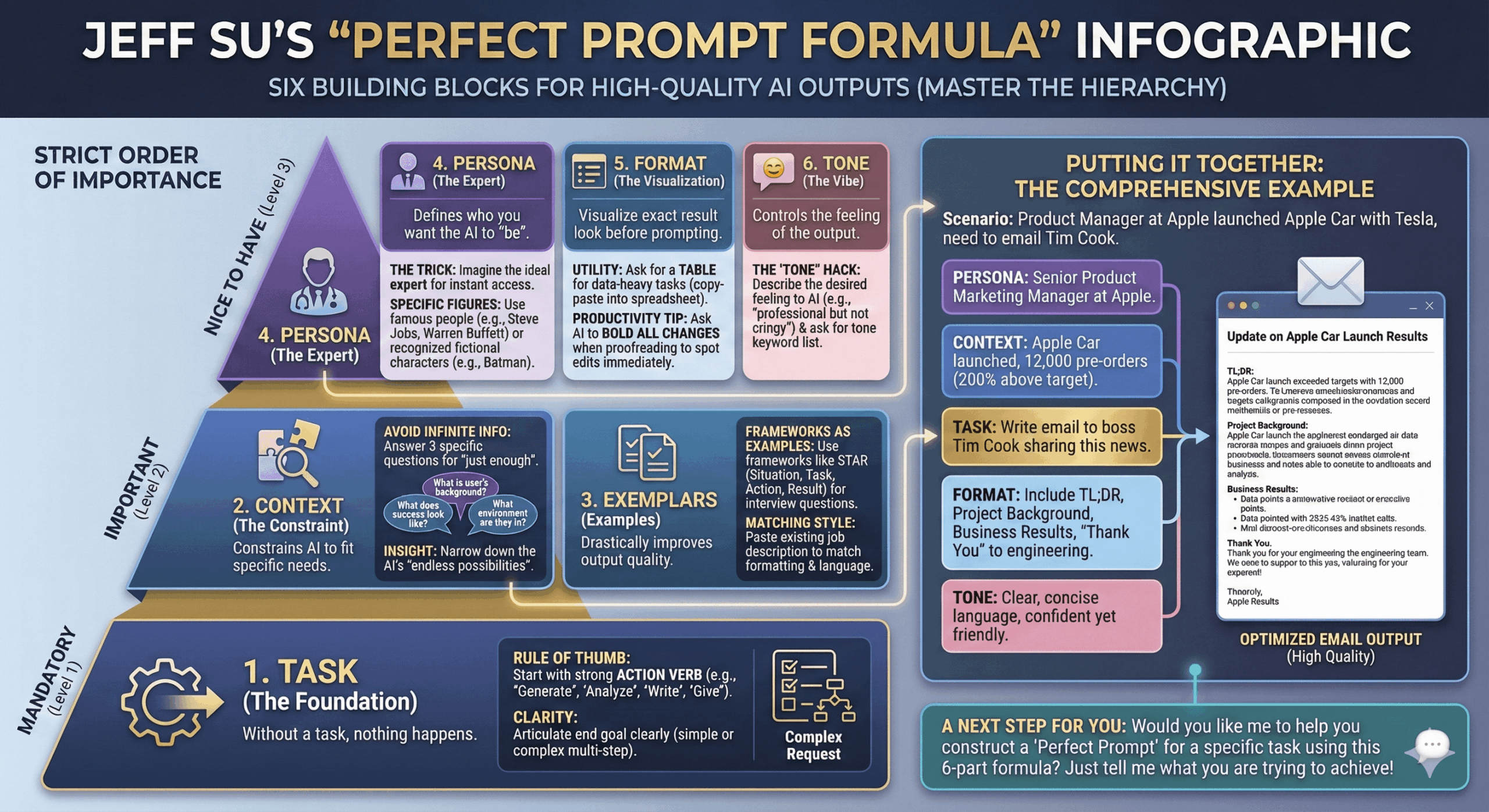

Here’s a simple 2-step workflow to turn YouTube videos into clean infographics using NanoBanana 3 Pro:
- Extract key insights with Gemini: Just paste the YouTube link into Gemini and ask "Extract the transcript and summarize all the key insights from this video in clear bullet points."
- Turn those insights into an infographic with NanoBanana: Copy/paste the insights into NanoBanana and write this one line above them: Create a visual infographic summarizing the following video.
If you’re a visual person and remember things better this way, like me, it’s honestly amazing.
Example attached use Jeff Su's video on Master the Perfect ChatGPT Prompt Formula.